
The new DocuWare is already available with a substantial set of features. It is not yet complete; more features will be introduced gradually over the coming months. Your early feedback will help address friction points and supports a smooth rollout.
Submit your feedback through the new DocuWare feedback platform. Do not post on DocuWare User Voice Portal.
Report any bugs directly to DocuWare Support.
Where feedback adds the most value
When evaluating the new DocuWare, concentrate on usability, performance, and the prompts listed below; any additional observations are welcome, too, but might not be considered right now.
Comment on existing features only
Focus on the functions that are already available. Feedback about classic features that have not yet been ported - or ideas for completely new functions - is noted but cannot be processed at this stage.
Usability
Searching and finding documents
How intuitive was the search experience? Were you able to find what you needed on the first try?
Did the search results match your expectations?
How does document retrieval compare to your current workflow in classic DocuWare?
Navigation and orientation
Could you easily find your way around the interface?
How clear was the organization of menus, actions, and settings?
Were there tasks that took more steps than expected?
Viewing documents
How would you rate the visual quality and scrolling experience compared to the classic Viewer?
Did the new annotation features fit naturally into your review workflow?
Tasks
How effective were the sorting and filtering options for managing your task list?
Did you try both task processing modes (Side Panel and Details Page)? Which felt more natural?
Learning curve
How quickly were you able to perform familiar tasks?
What felt immediately familiar, and what required adjustment?
Responsiveness
Did the layout adapt well when resizing your browser or switching devices?
Were all essential functions accessible on smaller screens?
Accessibility
Were interactive elements easy to identify and use?
Was text readable and contrast sufficient?
Did you encounter any barriers that prevented you from completing a task?
How to share feedback
Use the new DocuWare feedback platform as the primary channel to share your feedback.
New DocuWare feedback platform versus User Voice
The new DocuWare is in early access phase and not publicly available yet. Use the new DocuWare feedback platform for your feedback, not the public User Voice portal.
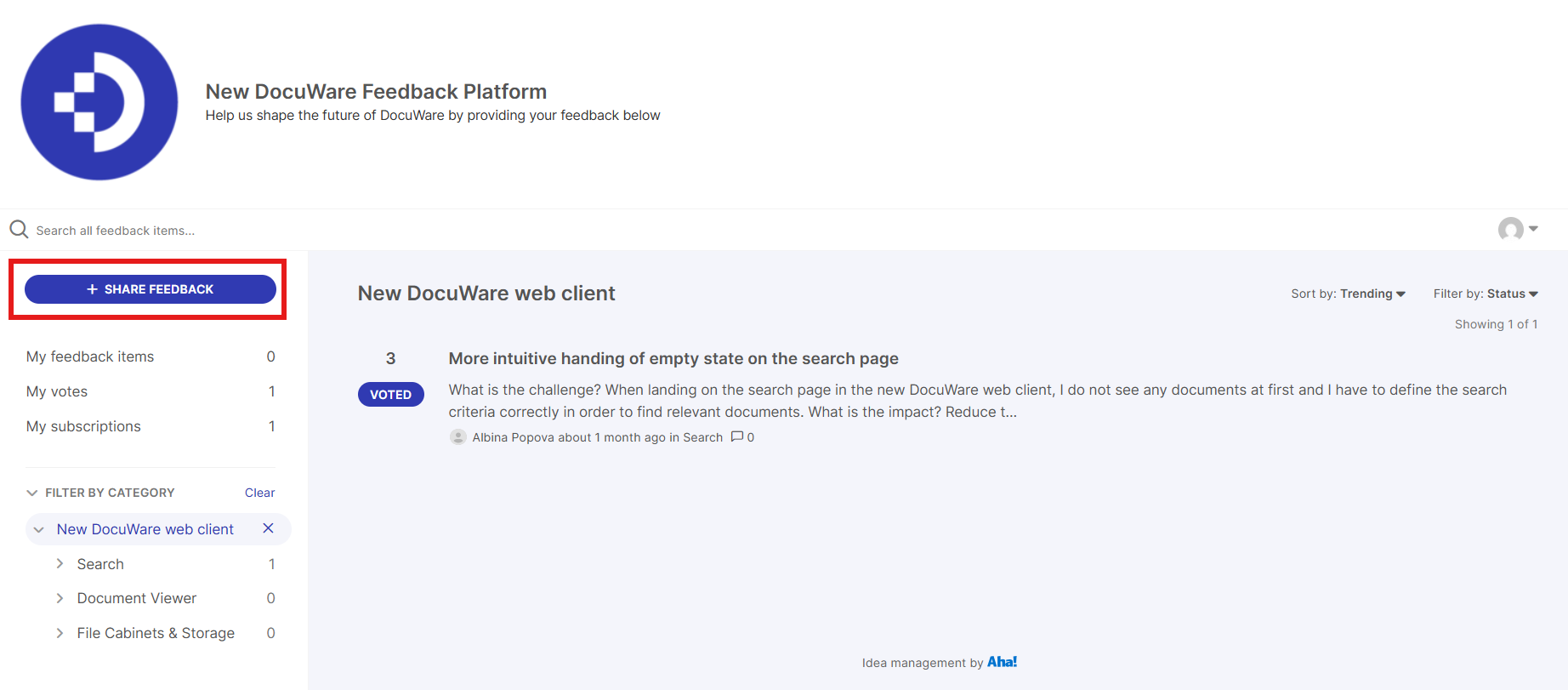
New DocuWare Feedback Platform
Go to new DocuWare feedback platform and
Login with your DocuWare ID.
If you experience difficulties in registering, contact productops@docuware.com.
When submitting ideas, post one idea per feedback item.
Remove or redact personal, customer, or other confidential data from screenshots and descriptions before submitting.
How to report bugs
If a feature is not working properly or you encounter a bug, create a support case at Support Requests · DocuWare Support Portal directly.
Turning your feedback into action
For feedback submitted via new DocuWare feeedback platform, you will receive email notifications when the feedback item moves through our review process.
You may also be invited to follow-up surveys or brief interviews to explore your ideas in greater depth.