New DocuWare is the integrated platform for intelligent document work: a web client and a mobile app, an AI assistant with direct access to your documents, and Intelligent Document Processing (IDP), which can now also be configured within the DocuWare platform.
New DocuWare keeps all your documents in one secure, organized place, with a clear interface on the desktop and on a mobile device. The elements work together seamlessly, from incoming information to a well-founded decision.
Three of these elements are new: the DocuWare client for the daily work with documents, DocuWare Aura, the powerful AI assistant that turns your documents into business knowledge, and the configuration of DocuWare IDP in one single place.
All three are available in DocuWare Cloud:
The new DocuWare client: In the new DocuWare Web Client you find documents, view and annotate them, index and store them, and work through your tasks. It is available to every DocuWare Cloud user and runs alongside the classic client, so you can switch between the two yourself. Designed around clarity and simplicity for fast adoption, and with accessibility guidelines in mind.
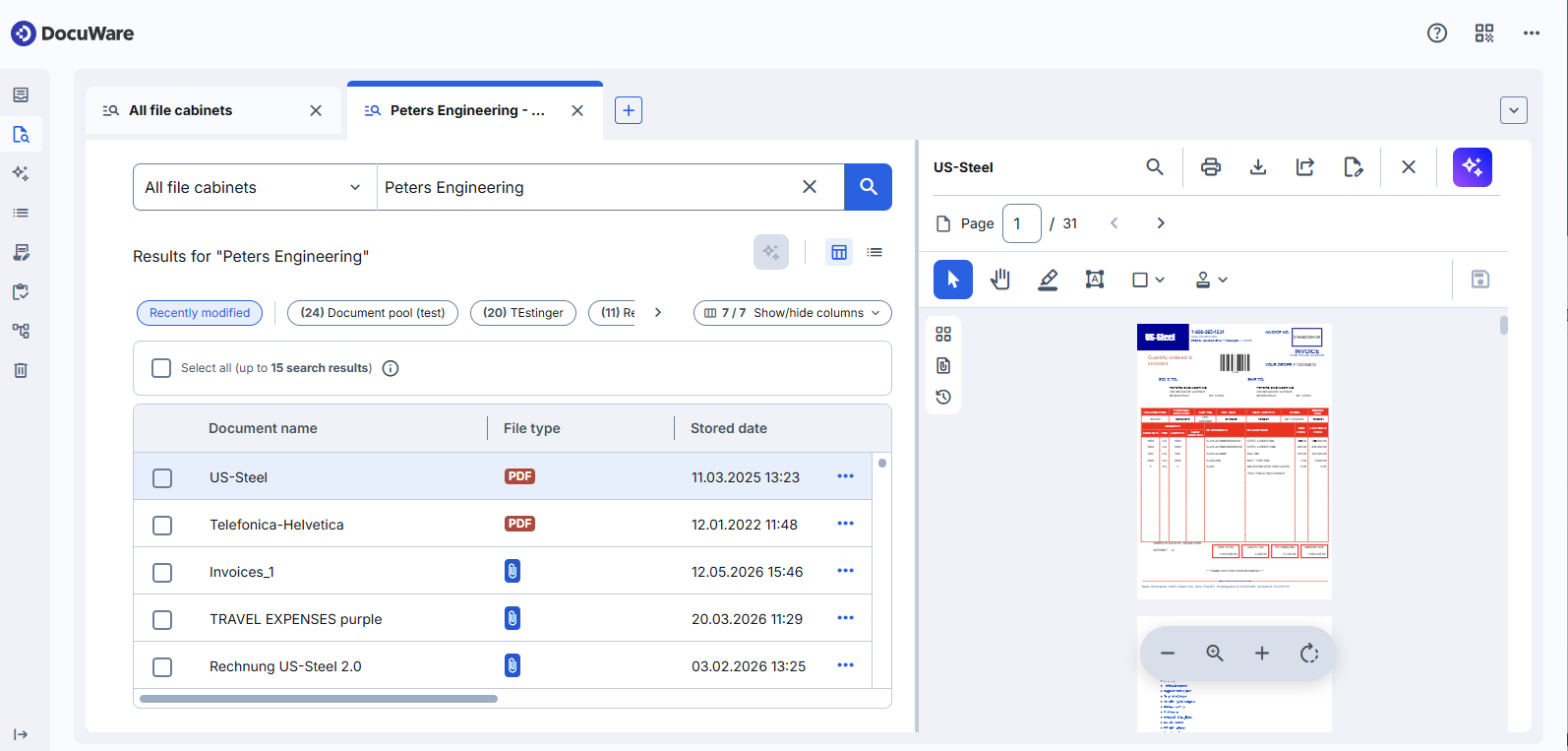
More about the new DocuWare client.
DocuWare Aura: ask questions about your documents in your own words and get summaries, comparisons and analyses across whole document collections. Every answer references the documents it is based on. For users, DocuWare Aura is available in the new DocuWare client, not in the classic one.
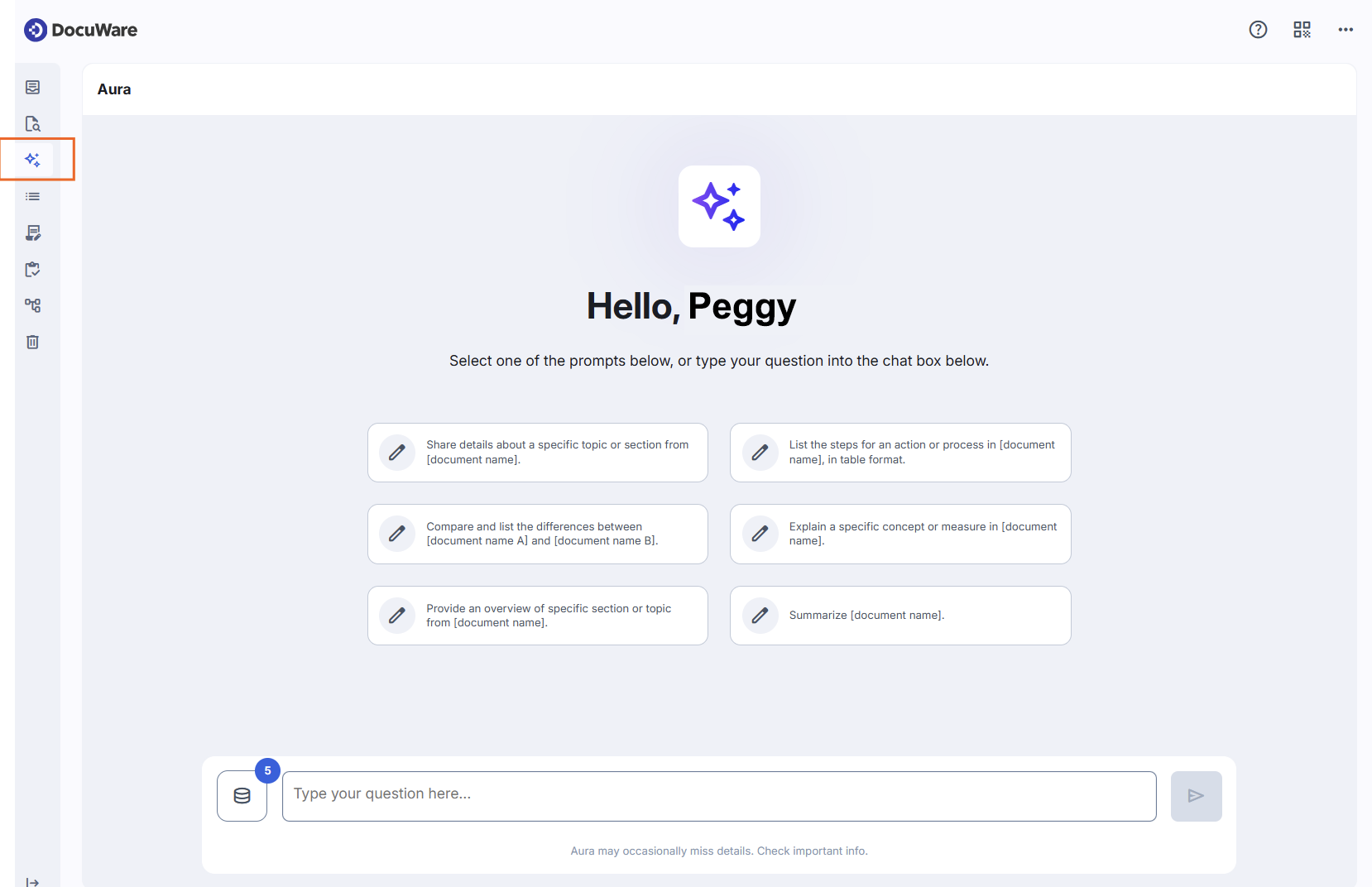
AI agents can work with DocuWare Aura through the DocuWare Aura API as well. DocuWare remains the secure foundation for your documents, because DocuWare Aura follows the permissions already set in your system.
More about DocuWare Aura.
Early Access New IDP: IDP turns incoming documents into structured index data, with AI-powered capture, advanced OCR including handwriting, and GenAI extraction. New is the configuration: it combines everything you need for Intelligent Document Processing in one place. You build the processing of your incoming documents visually, you create and train the AI agents that do the work, and you see your IDP contracts and consumption in DocuWare.
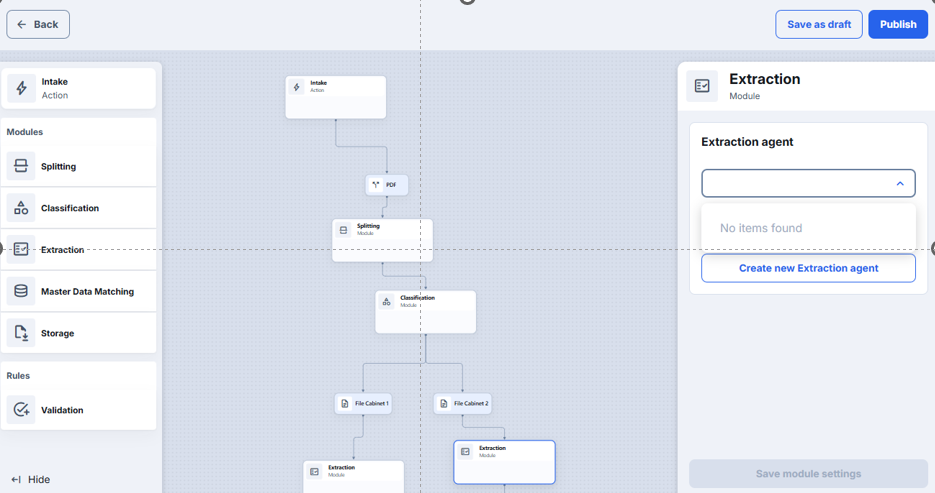
The new configuration is available as Early Access, so you can test it. Your previous IDP configurations keep working in parallel.More about Early Access New IDP configuration
Benefits
One platform for capture, daily document work and document knowledge
Answers from your own documents in plain language, with the sources referenced
No data migration, existing configurations keep working
Existing permissions apply everywhere, DocuWare Aura included
Here's how
New DocuWare runs in your existing DocuWare Cloud system. There is no data migration, and your existing configurations continue to work:
File cabinets, store and search dialogs, index fields, and stored documents
Workflows and their configurations, including workflows that are running
User, role, and file cabinet permissions, which also apply to DocuWare Aura
The classic DocuWare client, which remains available alongside the new one
Your IDP configurations, which keep running while you test the new IDP configuration
Availability and regular updates
The new DocuWare client and DocuWare Aura are part of DocuWare Cloud. DocuWare on-premises systems continue with the classic client for now.
New DocuWare grows with every update. Functions of the classic client that are not part of the new one yet follow step by step, so both clients remain available side by side.