The new DocuWare client is part of new DocuWare, the integrated platform for intelligent document work. The new client works with the file cabinets, dialogs and workflows you already have, and it applies the same permissions and roles. So there is no data migration and no new system to set up. What changes is how you search, how documents are displayed, and what you can do with a result list.
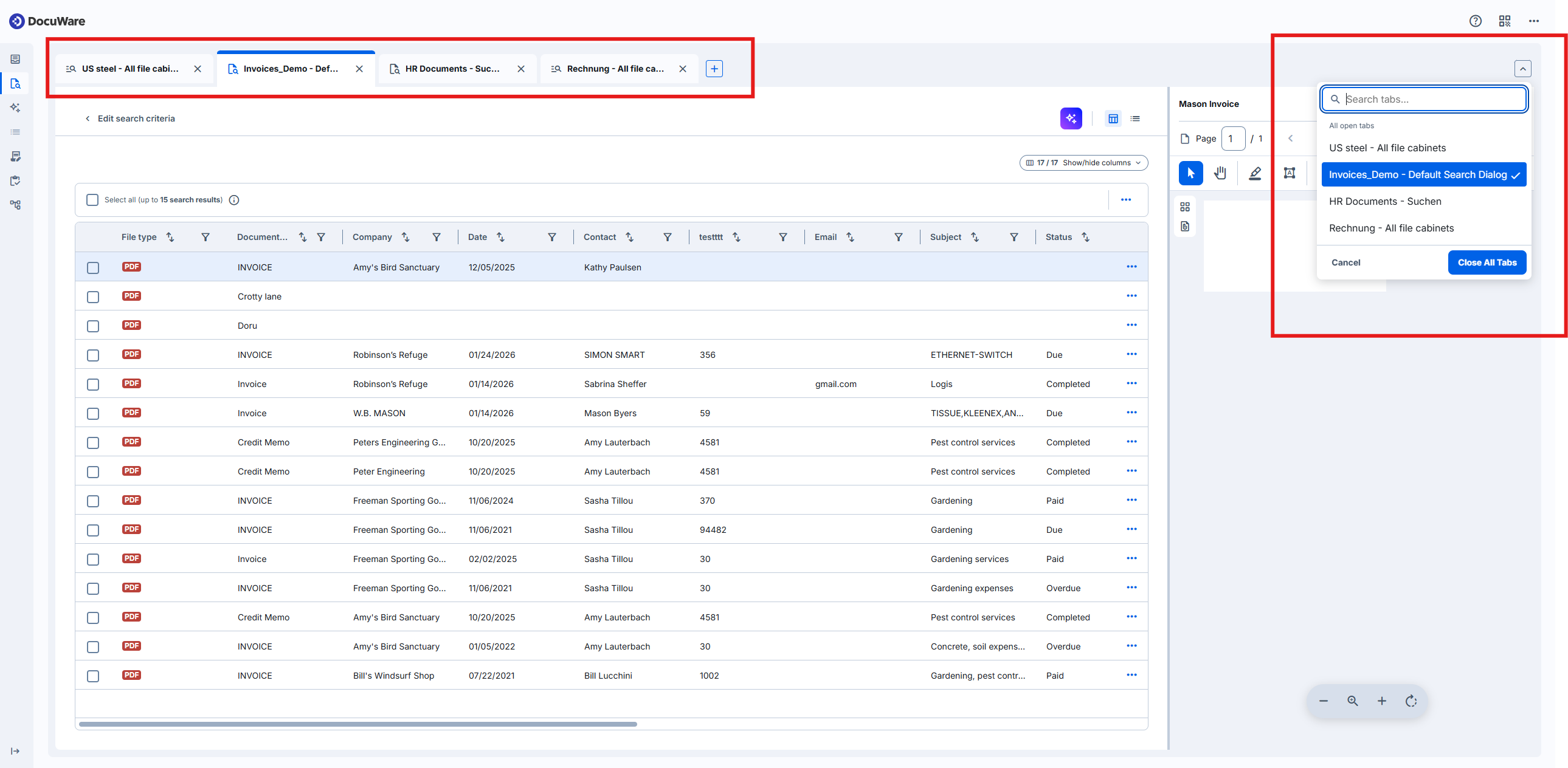
New are a keyword search across several file cabinets, searches that stay open as tabs, result lists you can filter and edit in place, a viewer that keeps documents sharp at every zoom level, and a design that targets the WCAG 2.2 AA accessibility guidelines. See a full list in key features and limitations.
Components: New DocuWare Client, DocuWare Cloud
Applications
Accounts payable: a colleague asks about an invoice and nobody remembers where it was filed. One search term covers several file cabinets at once, so you find the document without choosing a search dialog first.
Customer service: during a call you need the contract, the last delivery note and an open invoice. Each search opens in its own tab, so you move between the three instead of starting each one over:
Benefits
Search across several file cabinets
Several searches open in parallel as tabs
Faster working with documents due to scrolling
Accessibility to WCAG 2.2 AA
No migration, no installation, no configuration
Here's how
The new client runs alongside the classic client, on the same system and the same documents. Each user decides which client to work in and can switch at any time.
Both clients access the same data. A document has one set of index entries, stamps, annotations and workflow tasks, regardless of which client it is opened in. A stamp placed in the classic client is therefore on the document when a colleague opens it in the new client, and an index entry changed in the new client appears in the classic one.
The two clients are different interfaces to the same file cabinets. A team can work in both at the same time, and each user sees the current state of a document.
In the classic design, the link Open new DocuWare opens the new client:

In the new client, Menu, the icon with three dots, holds Back to classic DocuWare:
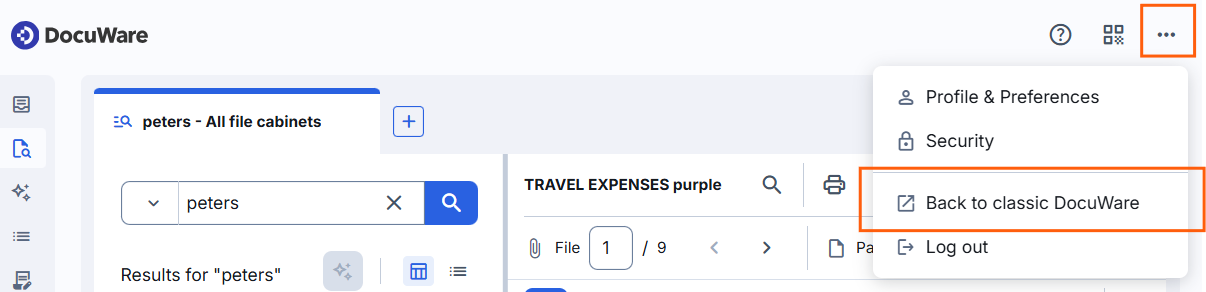
Under Profile & Preferences, in the section Default view, each user sets which design opens by default. Administrators can define the default for the organization.
The new client has its own help section for more information: Clients > New DocuWare client
Availability and updates
The new DocuWare client is available in DocuWare Cloud and needs no installation and no configuration. On-premises systems continue with the classic client.
The new client grows with every update. Functions of the classic client that are not part of it yet follow step by step, so both clients remain available side by side. The article Key features and limitations shows what is available today and is updated as new features arrive.