The Database Connections page in DocuWare Server Manager defines how DocuWare communicates with databases, both its own internal databases and external ones. Every DocuWare system needs databases to store document metadata, workflow data, notification settings, and more. During installation, four default connections (Authentication, Content, Notification, and Workflow Engine) are created automatically, so a standard system works out of the box. Beyond these, you can add connections to external databases, for example to retrieve data for select lists or to feed autoindex processes.
Database connections are defined per DocuWare installation. If your server hosts multiple organizations, Server Manager displays all connections. Since you are always logged into one organization at a time, you can select which connections are available to that organization. A connection created in one organization can later be activated for others.
We recommend to not change or de-select “use” for the four default connections, as this might make your DocuWare installation unusable.
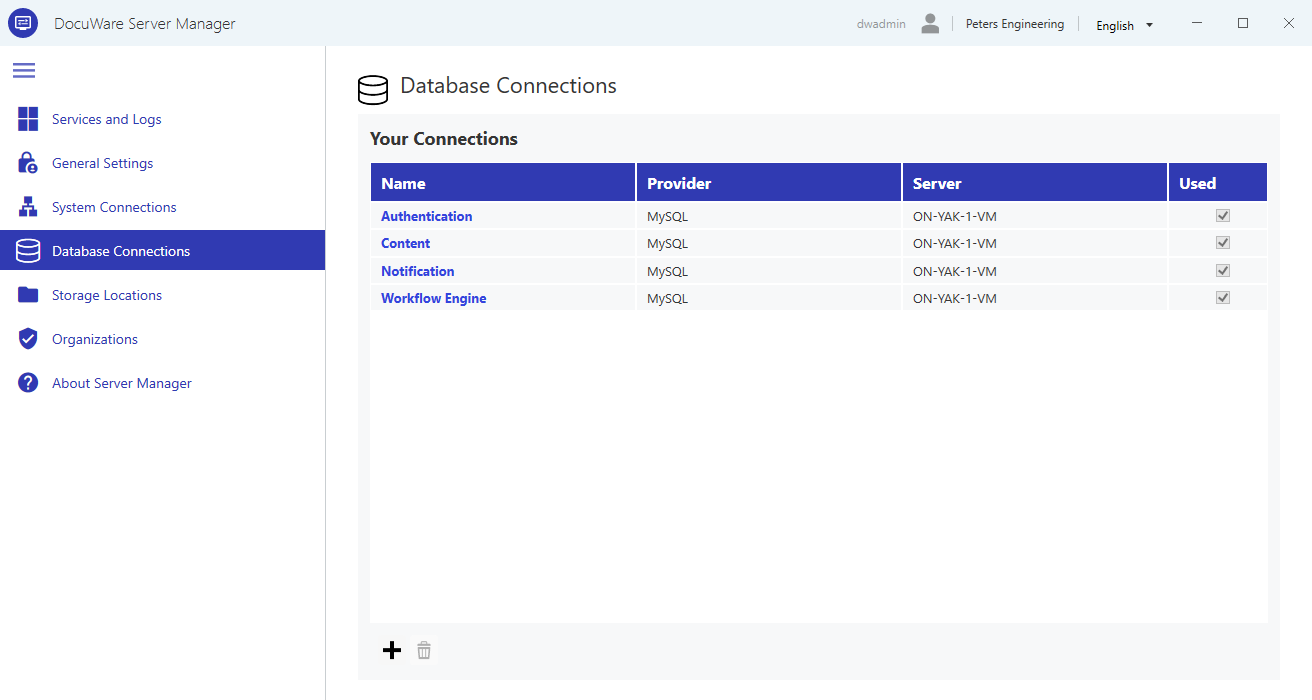
Configuring database connections
When you create or edit a database connection, a detail page opens where you configure its general properties, purpose, connection parameters, and login credentials.
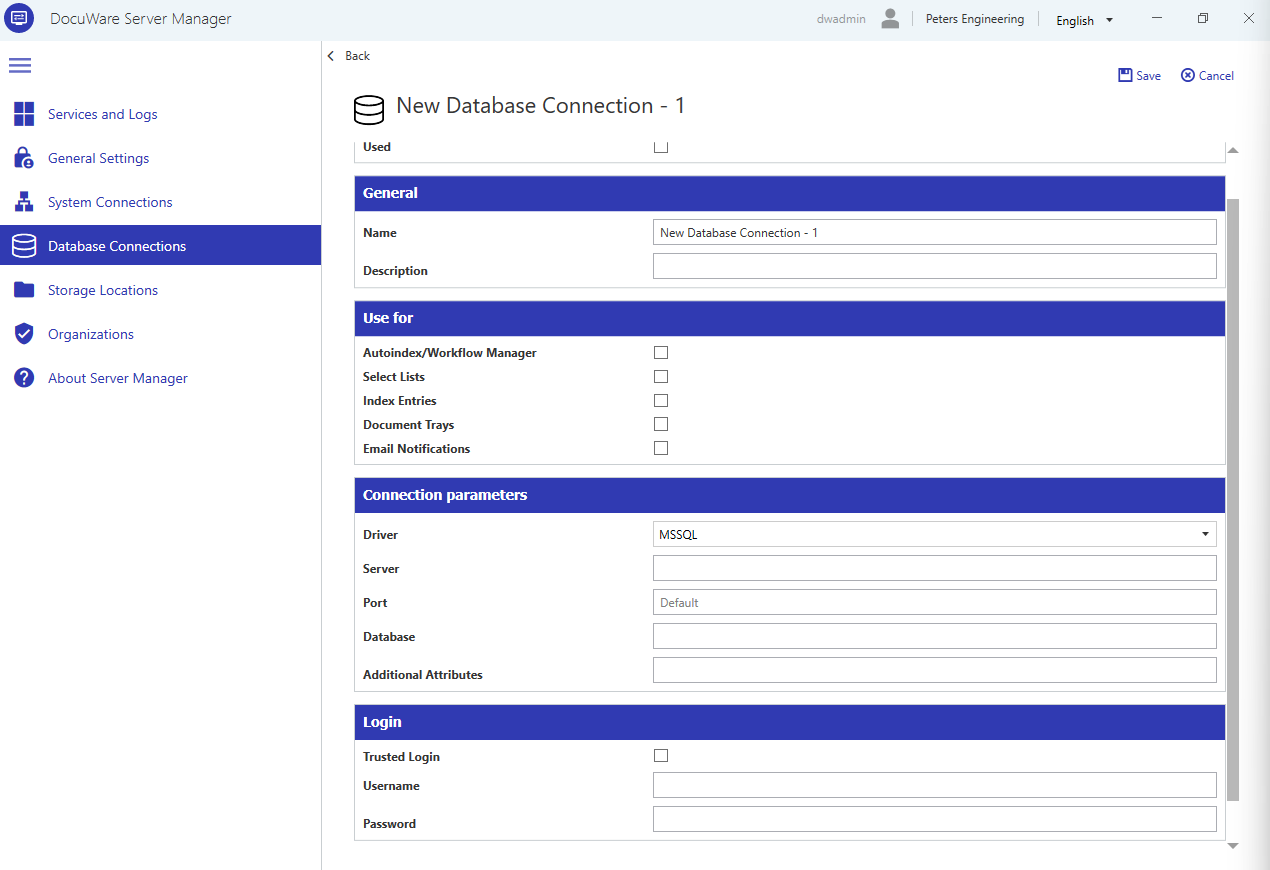
Used: If unchecked, this connection is not available in the organization you are currently logged into.
Name: A descriptive name for this connection.
Description: Optional. Use this to document the purpose of the connection, who created it, and when.
Use for
Each database connection must be assigned a purpose. This determines where the connection is offered within DocuWare. For example, only a connection marked for index entries will be available when creating a file cabinet.
Autoindex/Workflow Manager: The database provides data that can be used in Autoindex or Workflow tasks.
Select Lists: The database provides data for select lists used in index fields.
Index Entries: The database stores metadata of documents in file cabinets.
Document Trays: The database stores metadata of documents in document trays.
Email Notifications: The database stores entries for email notifications that DocuWare sends automatically.
Workflow Engine: The database stores workflow definitions.
Connection parameters
Driver: The database driver for this connection. DocuWare provides drivers for Microsoft SQL Server (MSSQL), MySQL, and Oracle. For other database systems, try an ODBC driver.
Server: The host name or IP address of the database server. If you are using a specific database instance, please add the instance to the host name.
Port: The port number of the database server. Leave at "Default" to use the standard port for MySQL (port no. 3306) and Oracle (port no. 1521). In case of Microsoft SQL Server, “Default” uses the dynamic port instead. We recommend setting a specific port for Microsoft SQL Server (standard is port no. 1433).
Database: The name of the database.
Additional Attributes: Additional parameters appended to the database connection string. Use this to include encryption certificates, set timeouts, or enable driver-specific features.
Login
Trusted Login: Uses the Windows service account used by the DocuWare services and app pools to authenticate against the database instead of a username and password. Only available for Microsoft SQL Server.
Username: The database user account. Not required if trusted login is enabled.
Password: The password for the database user account. Not required if trusted login is enabled.
Test connection
Always test a database connection before saving it. A failed connection can prevent DocuWare components from starting or functioning correctly.