The storage locations page in DocuWare Server Manager defines where DocuWare physically stores document files on disk. While database connections handle metadata such as index values, workflow data, and notifications, storage locations handle the actual files: scanned images, PDFs, Office documents, and any other content stored in DocuWare. Every file cabinet, document tray, and file connection needs a storage location to hold its files.
During installation, a default storage location is created automatically. For a simple, single-server setup, this is sufficient. In larger environments, you may want to add storage locations on separate drives or network shares, for example to distribute I/O load, or to separate organizations.
Like database connections, storage locations are defined per installation. If your server hosts multiple organizations, you can control which storage locations each organization may use.
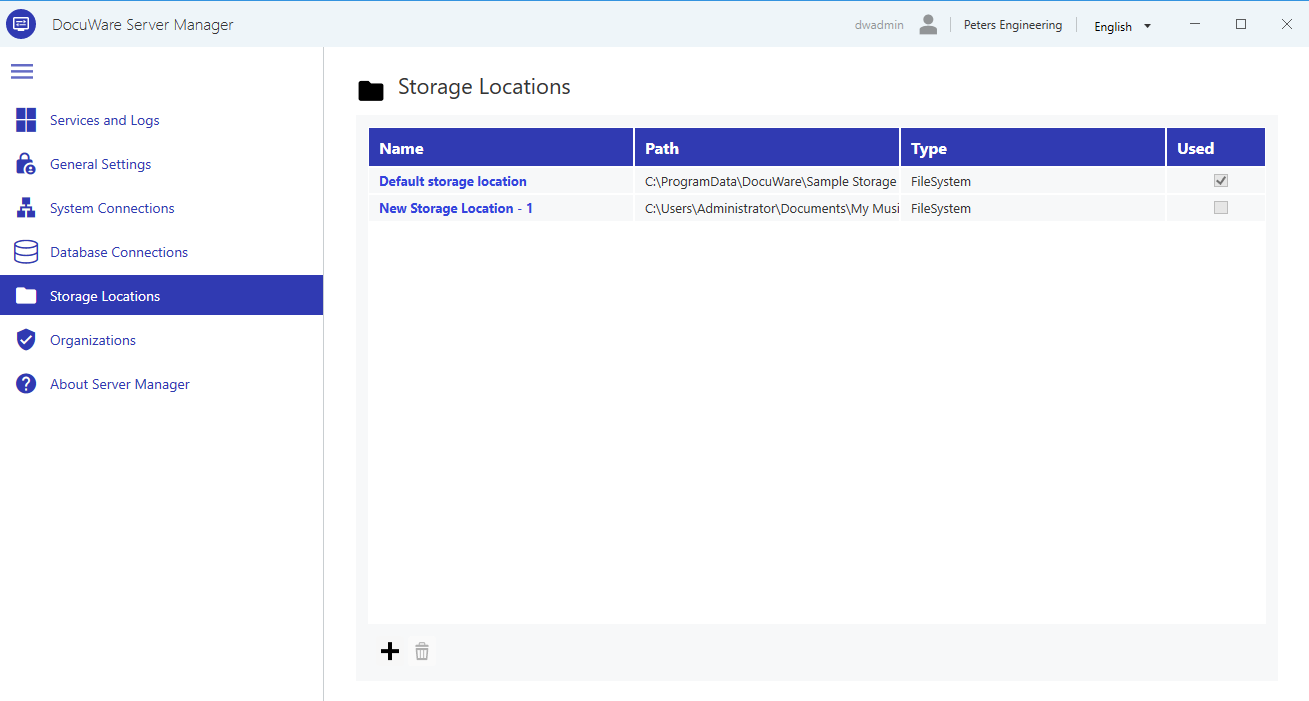
Configuring storage locations
When you create or edit a storage location, a detail page opens where you configure its path, type, and purpose.
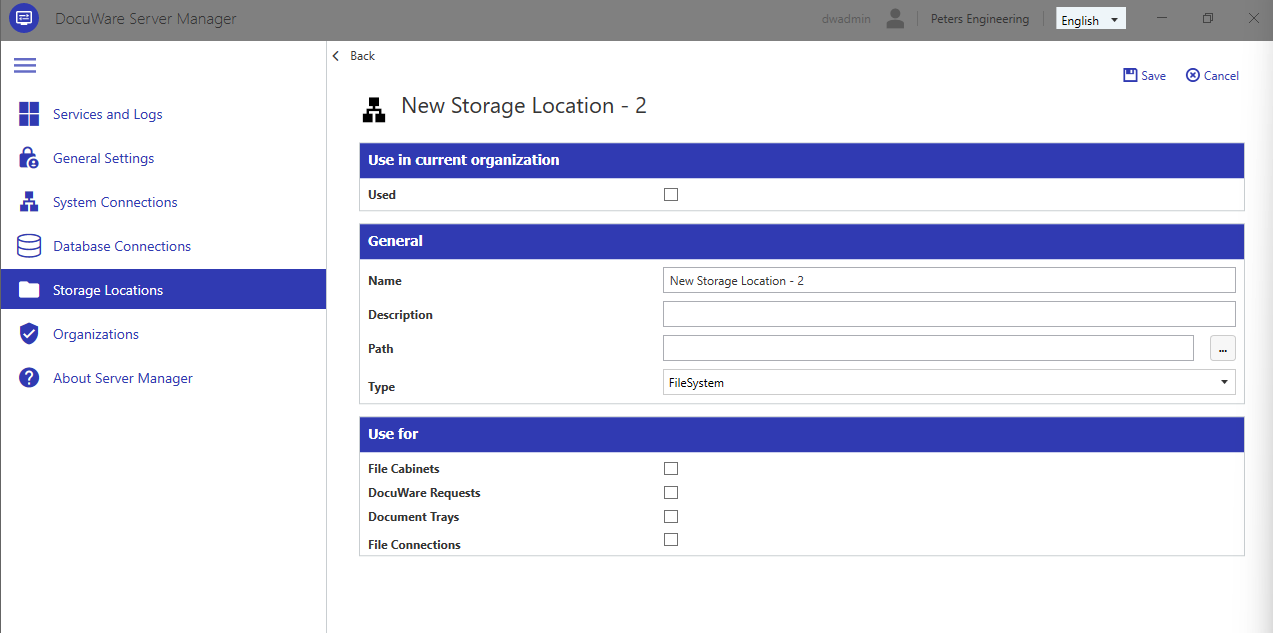
Used: If unchecked, this storage location is not available in the organization you are currently logged into.
Name: A descriptive name for this storage location.
Description: Optional. Use this to document the purpose or content of the storage location.
Path: The file system path where documents are stored. This can be a local directory or a UNC network path. We recommend using a local directory to avoid potential connection problems with UNC paths.
If you have not selected a different default storage location in the DocuWare Server Setup, it is located at
C:\ProgramData\DocuWare\Sample Storage.If you create a new storage location or edit an existing one, make sure that the new path has the necessary Windows file permissions: The DocuWare service user needs full access.
If you want to change the path of an existing storage location, please manually copy the files to the new path before changing it in Server manager.
Type: The default storage type is "FileSystem" for standard file system storage; this provides read, write, and delete access. The option “NetApp” is intended for the long-term archiving of WORM documents. Files in NetApp storages are assigned the "Read Only" attribute and cannot be edited.
Use for
Each storage location must be assigned a purpose. This determines where the storage location is offered within DocuWare when creating file cabinets, document trays, or other components.
File Cabinets: The storage location can be used to store documents in file cabinets.
DocuWare Requests: The storage location can be used to store documents in DocuWare request folders. Please note: DocuWare Request is a deprecated component. Please do not use this option if you don’t use DocuWare Request.
Document Trays: The storage location can be used to store documents in document trays.
File Connections: The storage location can be used for file connections, e.g. for Autoindex or Select Lists.