In HTML Advanced mode, the email body editor now offers a Preview toggle. The editor splits into two panels: the HTML editor on the left and the rendered result on the right, including content you have not saved yet.
Component: Web-based Workflow Designer
Applications
You are building a branded task notification and want to check the layout as you write it.
You inherited a workflow whose e-mail body is raw HTML and want to see what it actually produces.
Benefits
You verify the layout of an email while you write it, without saving the workflow and without a test run
The sidebar of an email activity and of a task activity shows a rendered preview of the beginning of the body as well, instead of the raw HTML code
Here's how
Switch the email body editor to HTML Advanced and turn on Preview.
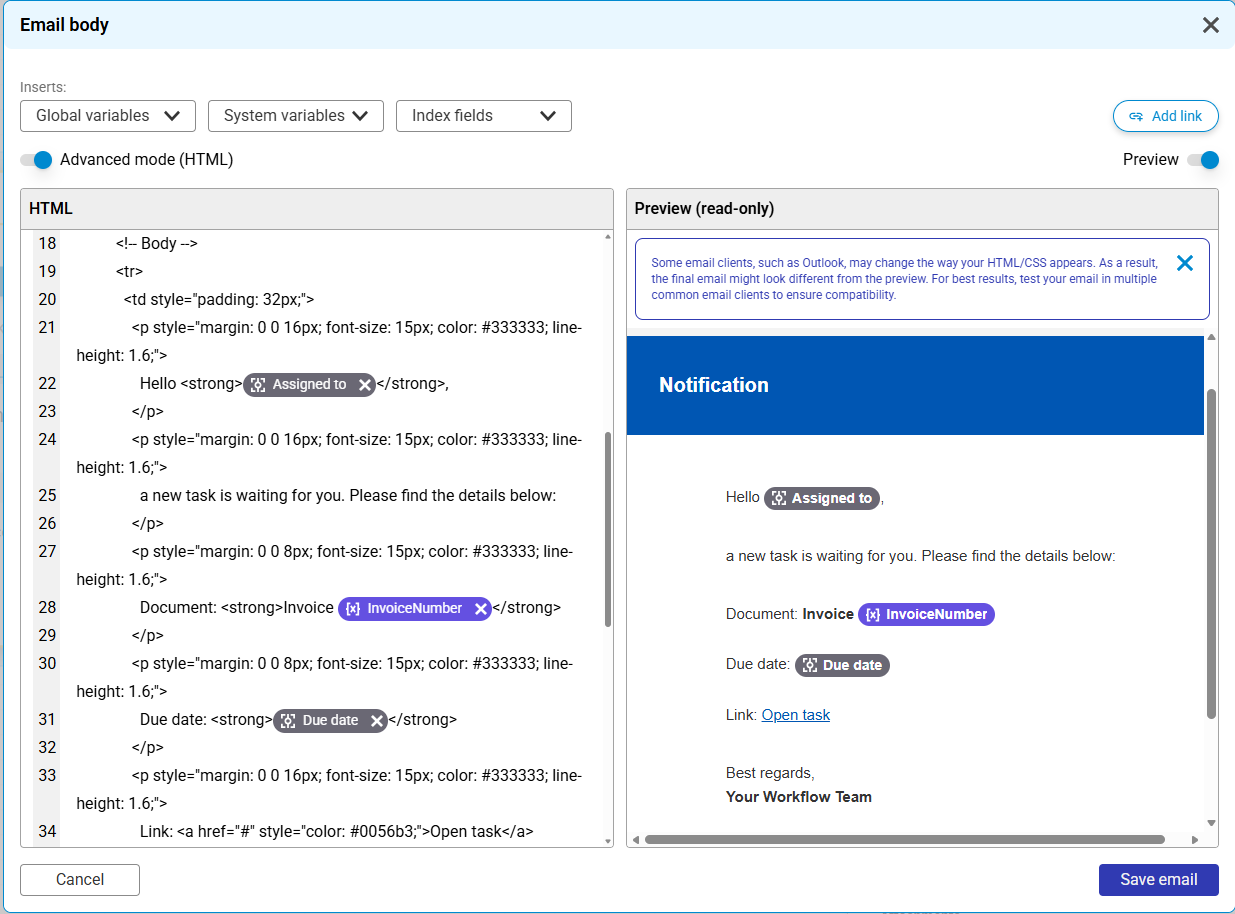
With Preview on, the HTML source and the rendered email sit side by side.
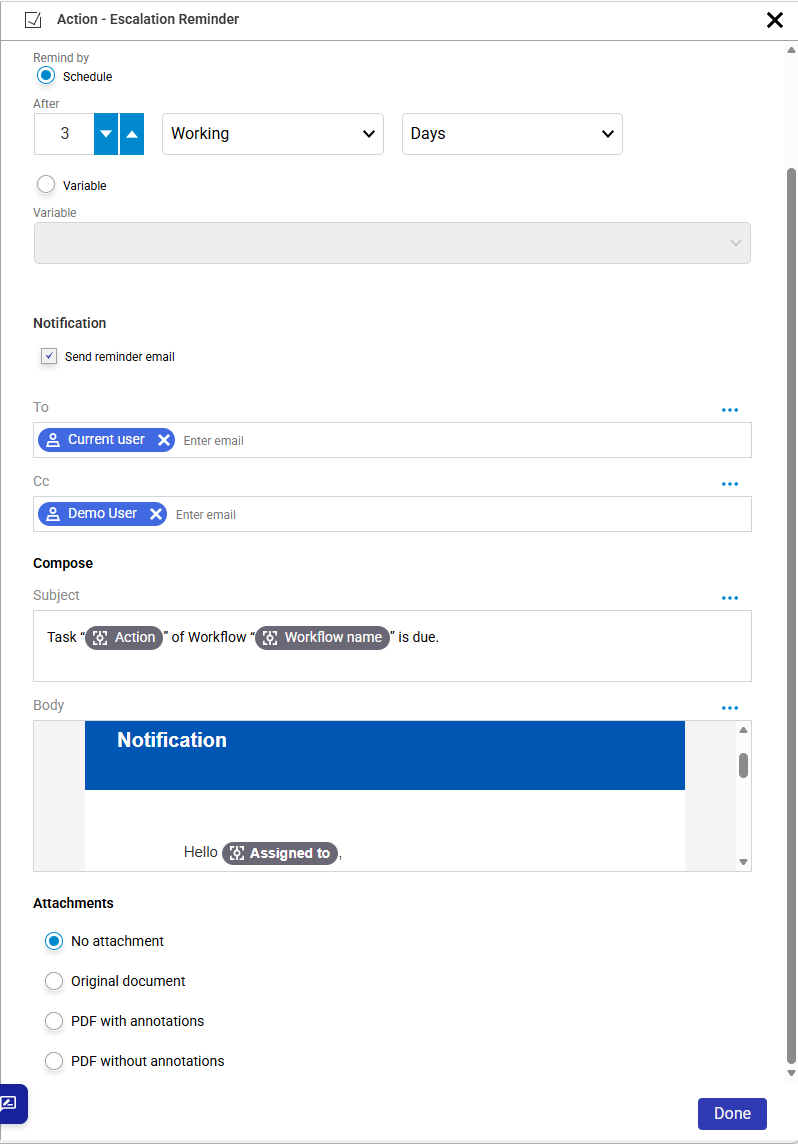
The activity sidebar shows the start of the body rendered, instead of raw HTML code.
Variable placeholders are not resolved, and the preview does not simulate individual email clients such as Outlook. It is meant for layout verification.