In the settings of a task, the notifications Remind decision maker and Reassign after inactivity each have a new CC field. Enter fixed email addresses, or workflow variables that supply the address while the workflow runs. CC recipients receive the same email as the main recipient.
Components: Web-based Workflow Designer
Applications
A manager wants to know when an approval in their team is close to its due date.
A shared team mailbox is copied when a task is reassigned, so somebody can step in.
Benefits
Managers and process owners learn early which tasks are close to their due date or already overdue
A second recipient can step in when the assignee does not react, so the process keeps moving
Here's how
Open the task activity, go to its behavior settings, and fill the CC field of Remind decision maker or Reassign after inactivity with addresses or workflow variables.
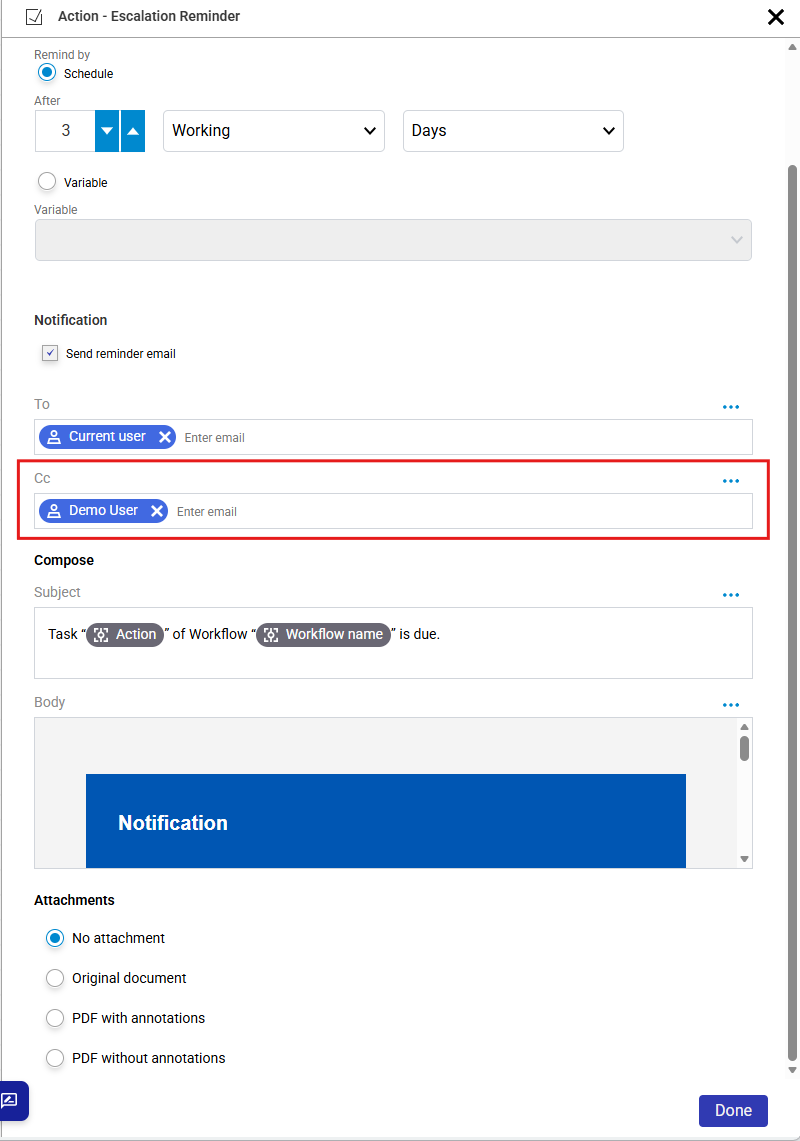
The new CC field sits directly below To in the reminder settings.