DocuWare Aura is a chat assistant for your documents in the DocuWare client. You ask a question in your own words instead of in index terms, and DocuWare Aura answers in plain language from the content of your documents.
You open DocuWare Aura with the Aura icon, which appears in several places. Where you open it determines where the answer comes from: the document you are reading, the documents you selected in a result list, or documents DocuWare Aura finds itself. Every answer names the documents it is based on. This way, you can open them and check the result.
New client only
This article applies only to the new DocuWare client. For the classic client, see the classic DocuWare client help.
On this page
Coming from the classic DocuWare client?
DocuWare Aura is entirely new. The classic DocuWare client has no comparable function, so there is no equivalent to switch over from. These points are worth knowing before you start:
Permissions work as before: all file cabinet permissions apply, and a document you are not allowed to see is never used for an answer.
Some documents are not protected by file cabinet permissions, but only hidden by removing their index fields from a search dialog. This is not real protection: through DocuWare Aura, such documents remain accessible.
More about Permissions and dialogs.
DocuWare Aura is for now only available in DocuWare Cloud and requires the new DocuWare client.
Important: verify answers before you act
DocuWare Aura can make mistakes. Every answer names its sources, so open the documents and verify anything you are going to act on.
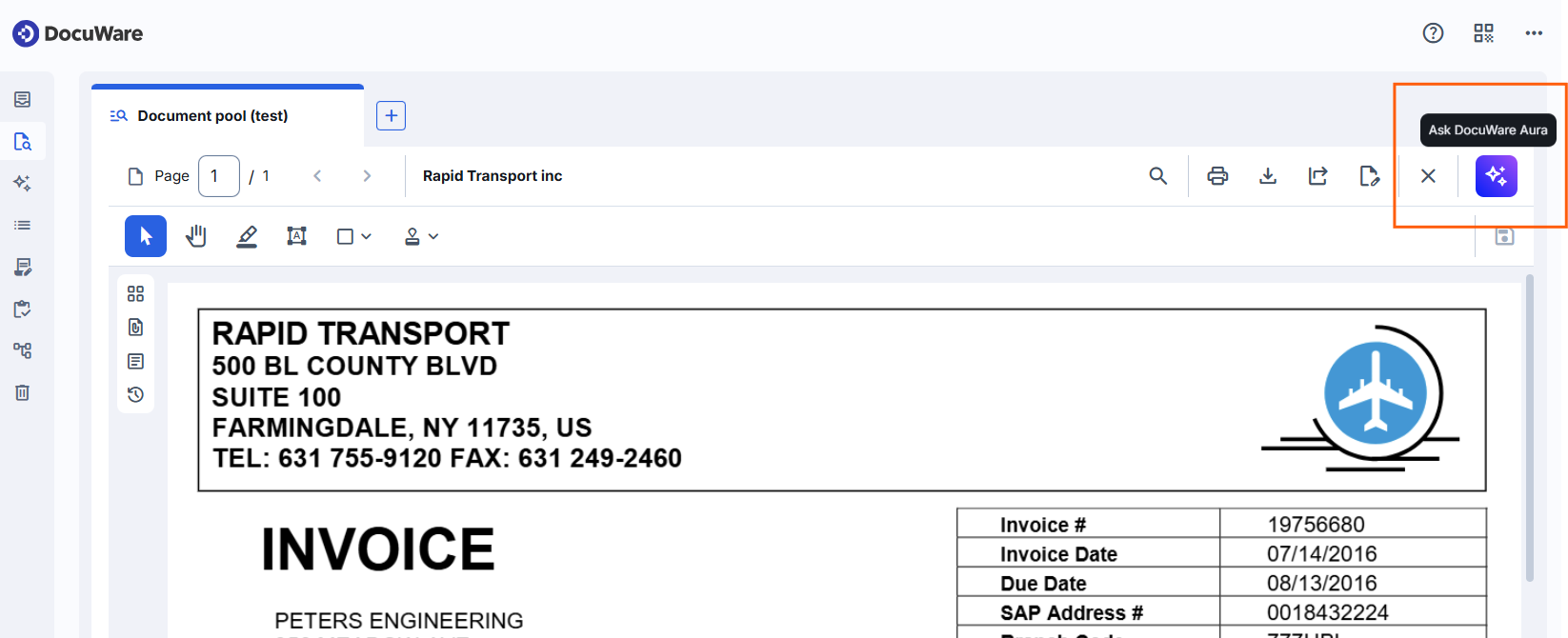
Ask about one document in the viewer
Open a document and click the Aura icon to ask about that document, for example for the key figures of an invoice or a summary of a contract:
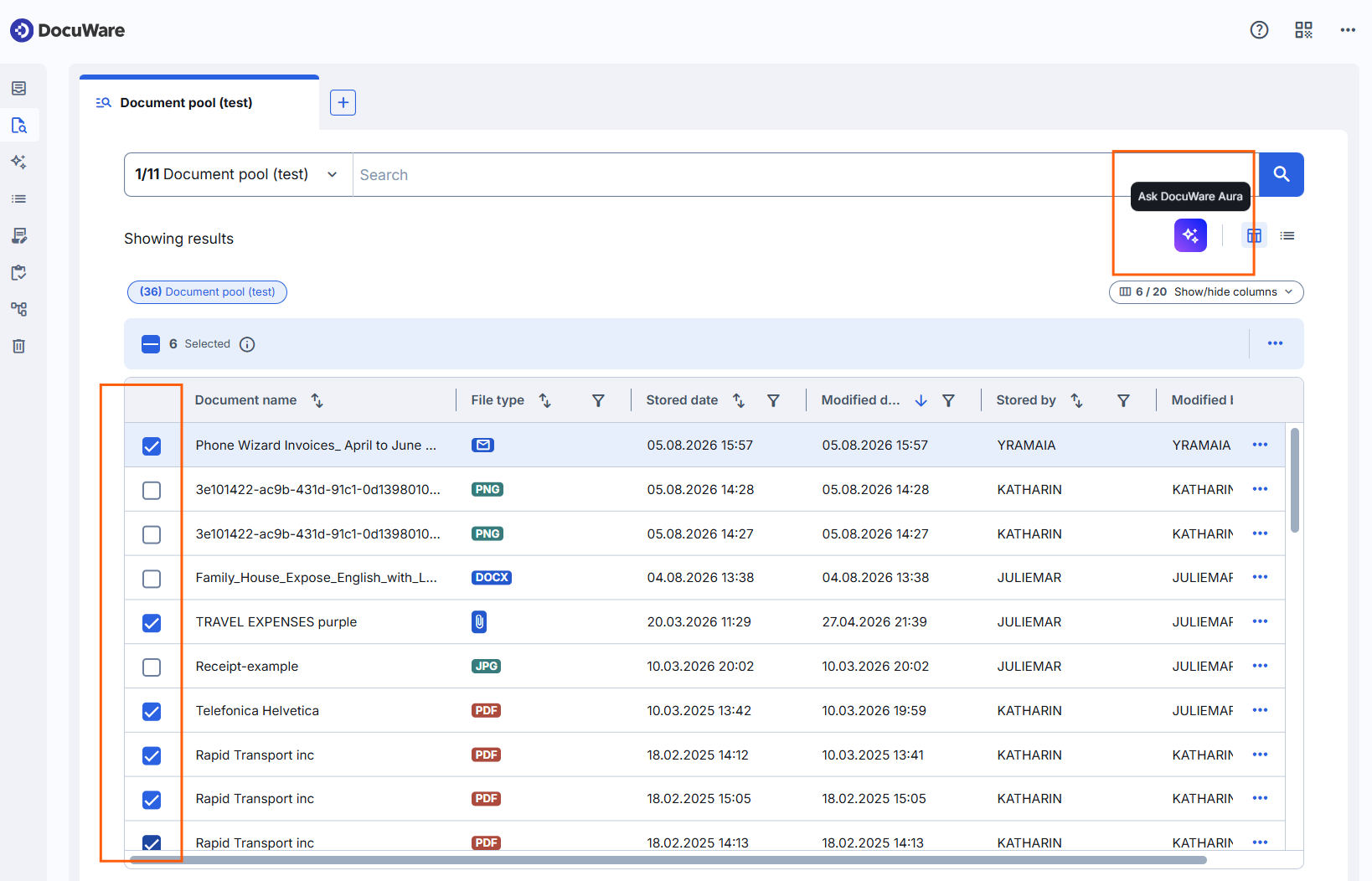
Ask about several documents in a result list
Select up to 15 documents in your search results and click the Aura icon to ask about them together. This is the way to compare documents, for example three offers for the same order. Above the answer you see how many documents the question covers:
Ask without selecting documents first
Click the Aura icon in the left sidebar to ask without choosing documents first. DocuWare Aura looks for the documents that match your question, and shows which of them the answer is based on. This is the place for a question when you do not know which document holds the answer.
It searches the file cabinets your administrator has selected and DocuWare Aura has indexed. The icon at the left of the question field shows how many file cabinets your question covers. Select it to limit the question to individual file cabinets:
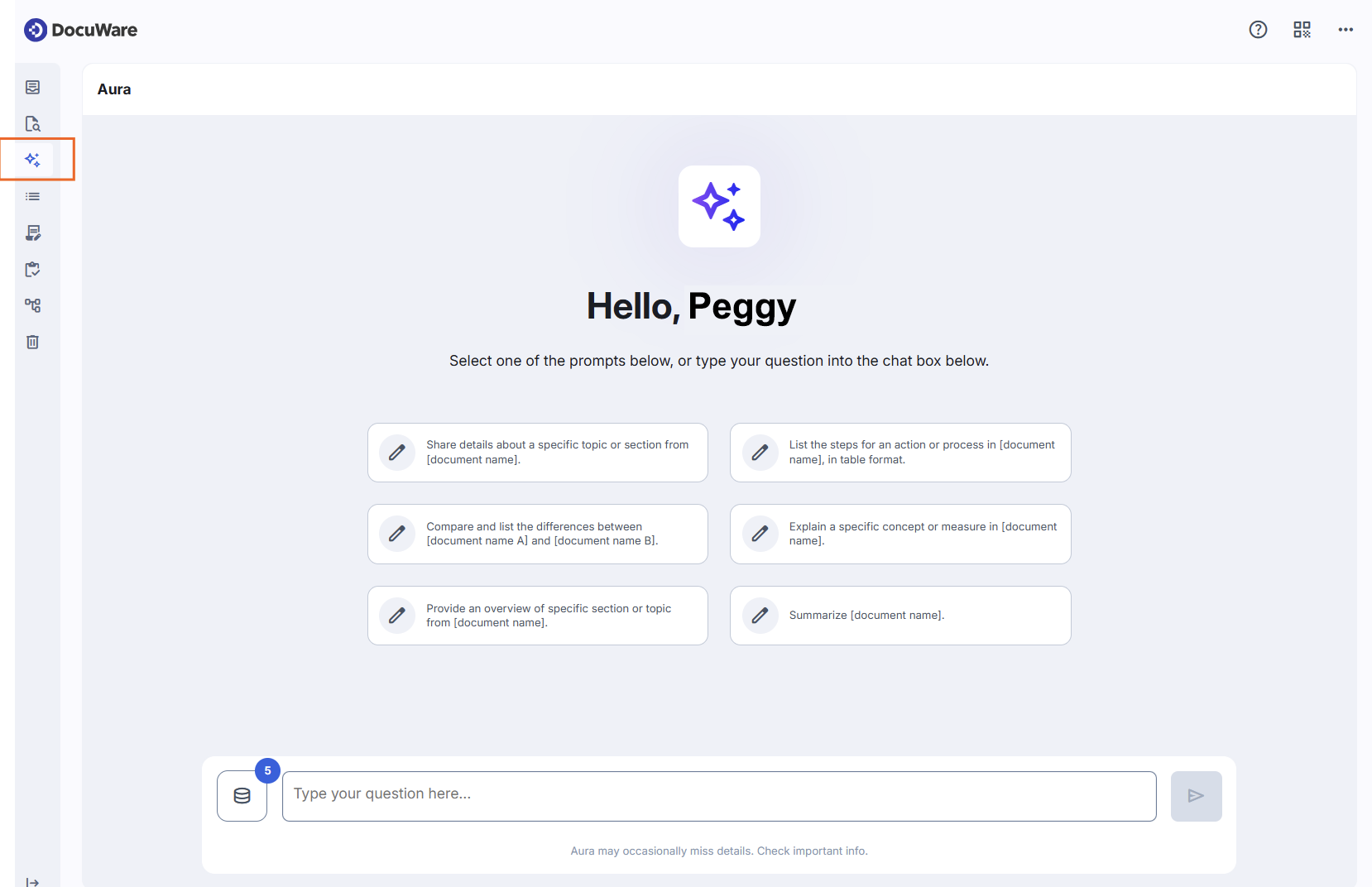
If you are unsure how to phrase a question, use one of the example prompts on the start page and replace the parts in brackets with your own document or topic.
Recent chats
DocuWare Aura keeps your last 20 chats, with up to 50 messages each. A chat keeps its conversation, so you pick it up where you left it, in the place where you started it.
Select the chat icon in the header for the recent ones, and View all chats for the full list, grouped into Pinned and Recent chats. The three dots at the end of a chat offer View chat, Pin chat or Unpin chat, Edit chat name, and Delete chat.
Your chats are private: no one else in your organization sees them.
Tips for working with DocuWare Aura
Keep one chat per topic: Each chat carries its own context, so you do not have to explain the same background twice, and you find your way back to the right conversation.
Ask about documents that carry text: DocuWare Aura works with every document whose text content is available in DocuWare, among them PDF, Word, PowerPoint, and Markdown documents.
Ask in English or German for the most precise answers: DocuWare Aura is tested and optimized for these two languages and answers in the language of your question. Other languages work as well, as long as your question and your documents are in the same language. Asking in French about documents written in English may still produce an answer, but the result can be inexact.
Current limitations
A question from a result list covers up to 15 selected documents.
In the left sidebar, DocuWare Aura answers from up to 5,000 documents within in the Freemium package. Your administrator decides which file cabinets, and which documents in them, make up that number.
In the Freemium package, your organization shares a daily volume for DocuWare Aura. It resets at the end of the day, and you see a note when the volume is nearly used up.
Notes for administrators
In the viewer and in a result list, the user selects the documents. This needs no configuration and works for every user of the new DocuWare client.
The Aura icon in the left sidebar opens a prompt without selected documents. To switch this on, an administrator accepts the terms and conditions in DocuWare Configurations > Aura and selects the file cabinets DocuWare Aura may use.
A document is available to DocuWare Aura within seconds of being stored.
One daily volume covers all questions, wherever they are asked. The configuration shows the current usage, and more capacity can be added. When the volume is used up, users see a message that no questions are possible until it resets. Ask your DocuWare contact for more volume.
The Aura configuration has no setting that widens a user's access. DocuWare Aura only uses documents that a user is allowed to see through their file cabinet permissions and index field permissions. Two colleagues with different permissions can receive different answers to the same question.
Data protection: Documents and their content never leave the DocuWare servers.