When scanning and importing batch PDF files via Desktop Apps, you can use IDP to split the batch into the documents it contains so that each individual document can be processed automatically.
Components: DocuWare Cloud, DocuWare IDP, Desktop Apps Scan and Import
Application
The delivery notes for the day are scanned together, but need to be processed as individual documents.
Benefits
Greater efficiency
Data is fed directly into related processes
Here's how
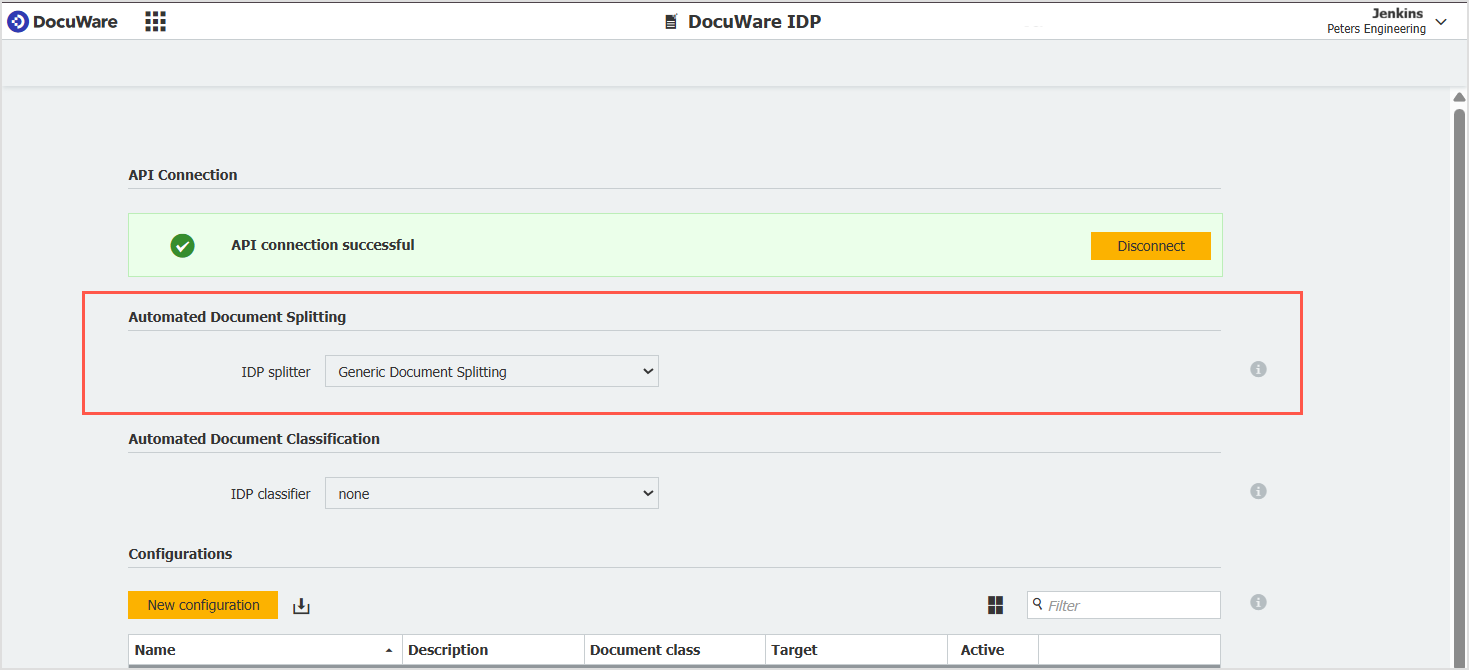
To set up document splitting for DocuWare IDP, go to DocuWare Configurations > Capture > DocuWare IDP.
In the Automatic Document Splitting section select an IDP splitter for your organization. When scanning or importing, the individual documents are separated and released for further processing:
When creating an import or scan job in the DocuWare Desktop Apps, select the IDP configuration in which you have defined the splitting.
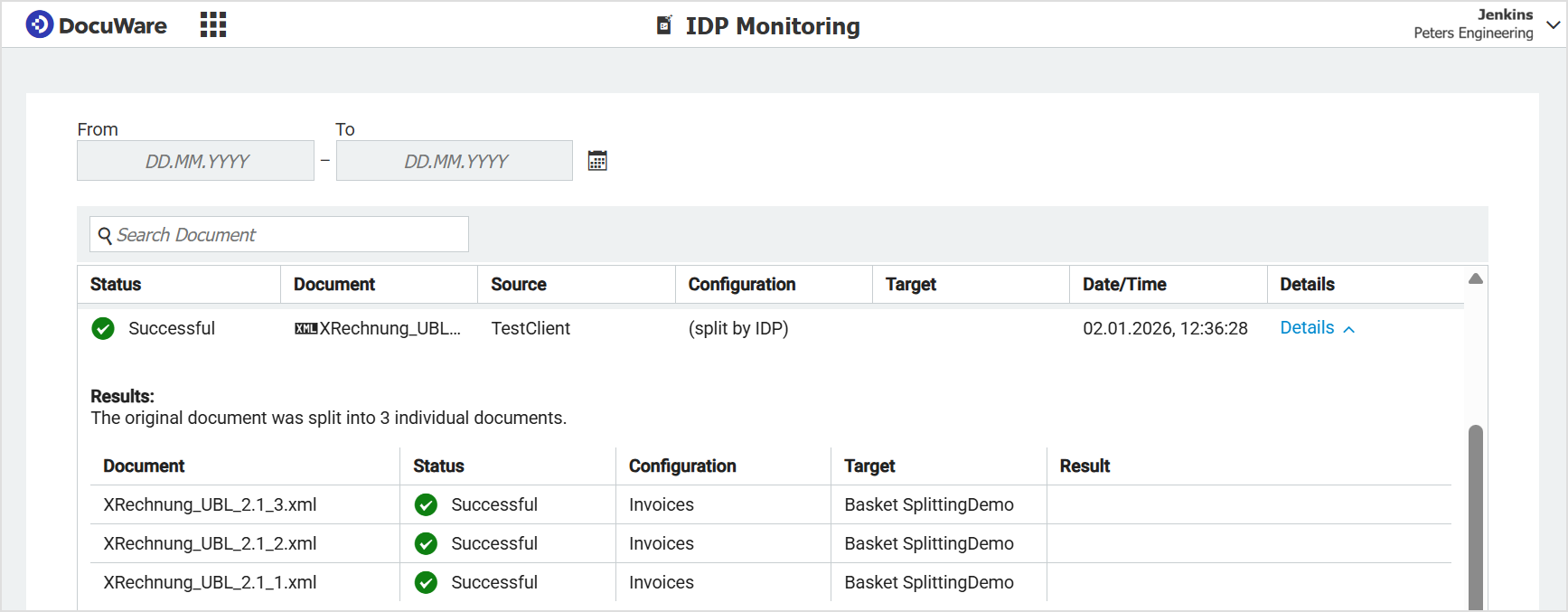
You can track IDP jobs with the splitting function enabled in detail in DocuWare Configurations > Capture > IDP Monitoring. The first entry is the source file; the details of the generated individual documents can be expanded:
Read more on DocuWare IDP.