---
title: "Email bodies: HTML preview"
slug: "news-715-workflow-email-html-preview"
updated: 2026-09-28T05:44:14Z
published: 2026-09-28T05:44:14Z
canonical: "knowledgecenter.docuware.com/news-715-workflow-email-html-preview"
---
> ## Documentation Index
> Fetch the complete documentation index at: https://knowledgecenter.docuware.com/llms.txt
> Use this file to discover all available pages before exploring further.
# Email bodies: HTML preview
In **HTML Advanced** mode, the email body editor now offers a **Preview** toggle. The editor splits into two panels: the HTML editor on the left and the rendered result on the right, including content you have not saved yet.
**Component**: Web-based Workflow Designer
Applications
- You are building a branded task notification and want to check the layout as you write it.
- You inherited a workflow whose e-mail body is raw HTML and want to see what it actually produces.
Benefits
- You verify the layout of an email while you write it, without saving the workflow and without a test run
- The sidebar of an email activity and of a task activity shows a rendered preview of the beginning of the body as well, instead of the raw HTML code
Here's how
Switch the email body editor to **HTML Advanced** and turn on **Preview**.
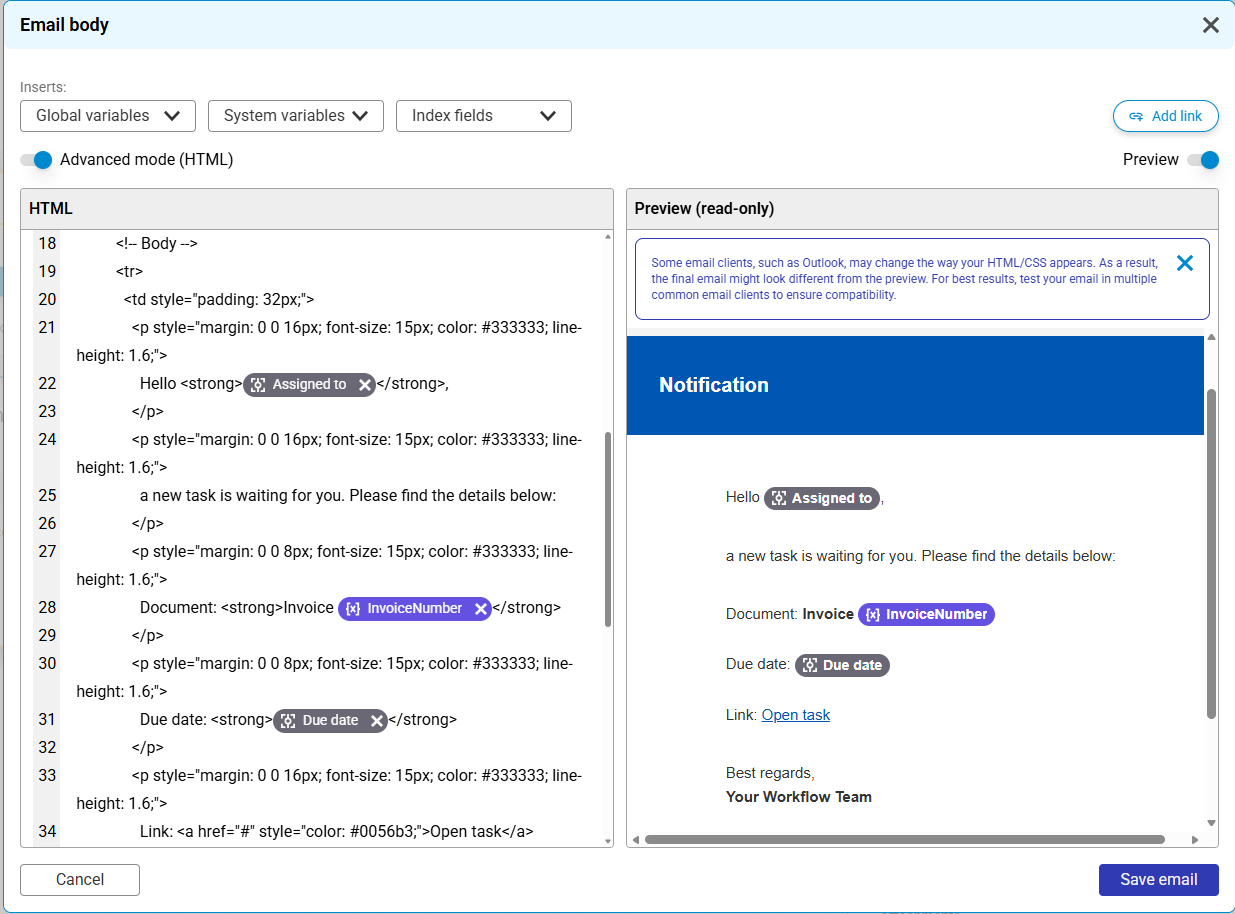
*With* ***Preview*** *on, the HTML source and the rendered email sit side by side.*
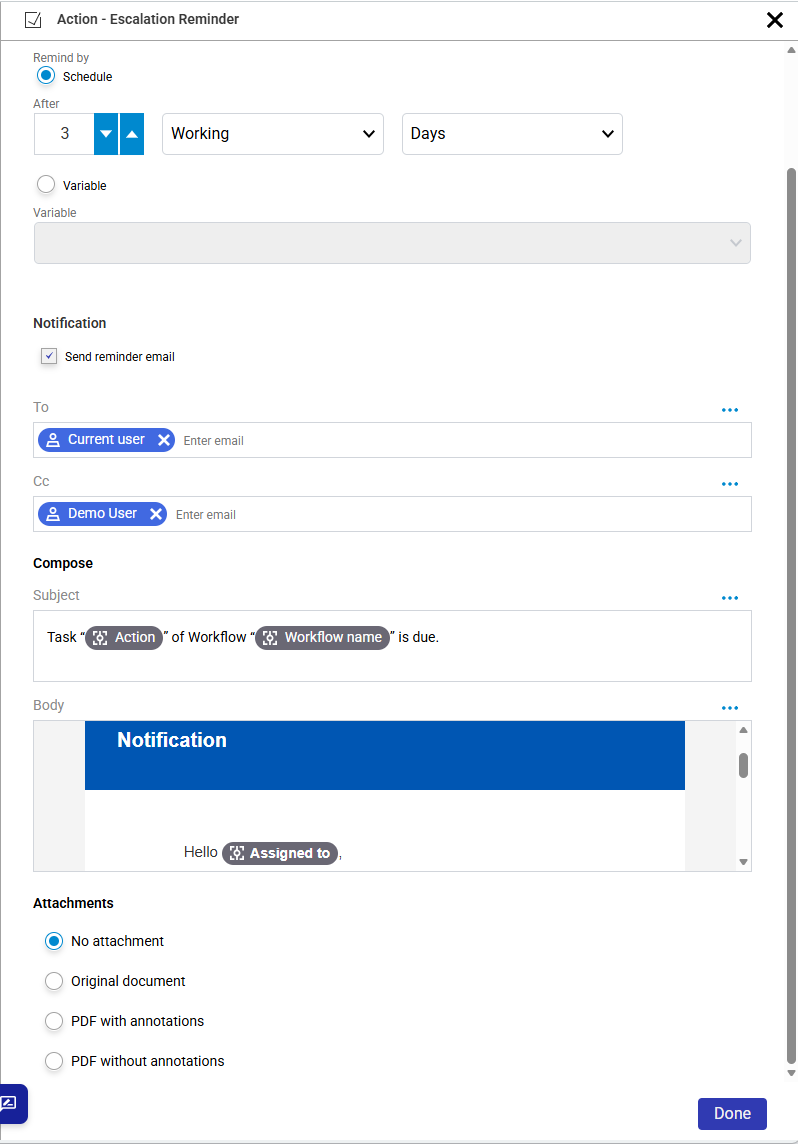
*The activity sidebar shows the start of the body rendered, instead of raw HTML code.*
Variable placeholders are not resolved, and the preview does not simulate individual email clients such as Outlook. It is meant for layout verification.
## Supported versions: DocuWare Cloud + 7.15